
Communication
Connect websites, mobile apps, messaging channels, and customer conversations in one workspace.

Chatigram
AI-powered communication, automation, and integrations. Chatigram connects systems, business software, websites, mobile apps, and messaging channels in one workspace.
Start with the process you want to improve. Connect the tools, data, and conversations that make it work.
Connect websites, mobile apps, messaging channels, and customer conversations in one workspace.
Build workflows with a visual editor. Trigger them with webhooks, schedules, and real-time events.
Create AI-powered experiences, with an AI Assistant to help build and improve workflows.
Connect Google Workspace tools, business software, social platforms, and external APIs.
Design structured data, manage records visually, and connect your data with workflows and APIs.
Create custom Node Types, reuse workflow logic, and explore official templates and the Marketplace.
This official demonstration connects an event in another system with document and spreadsheet creation through Chatigram.
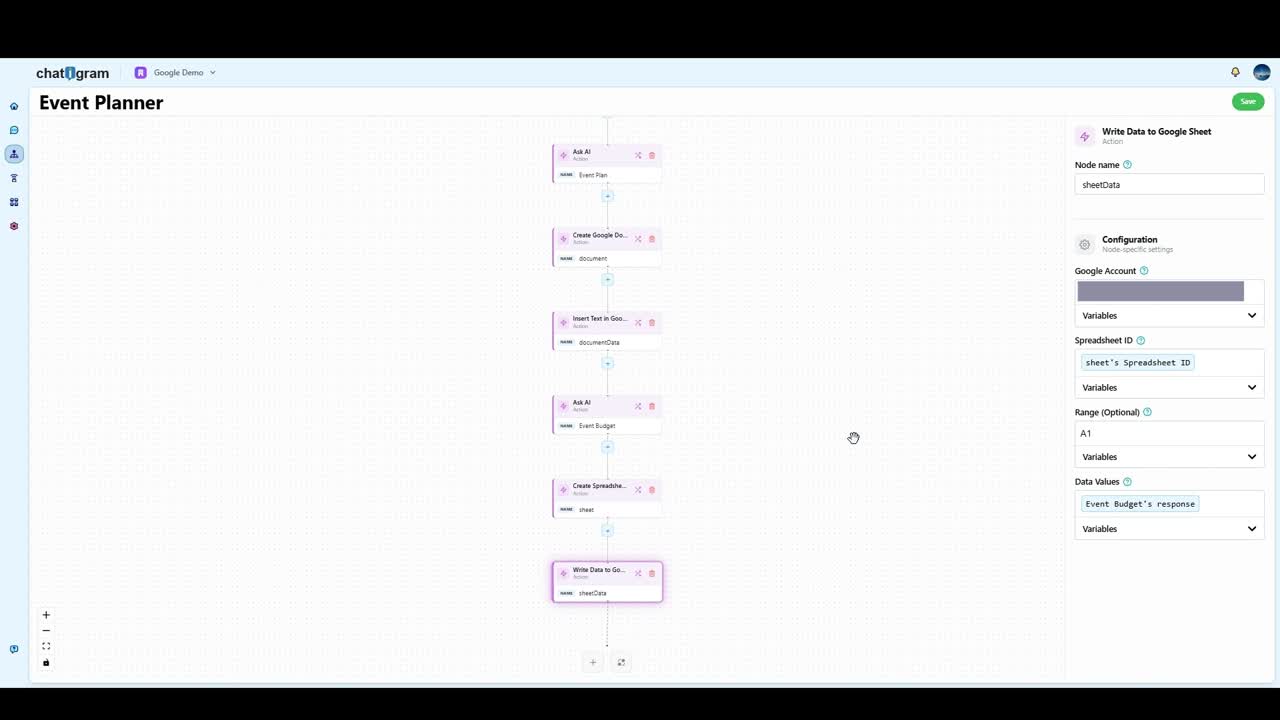
Made to connect
Connect the tools your business already depends on.
Chatigram’s published integrations include Google Calendar, Gmail, Docs, Sheets, and Drive, alongside Telegram, X, Meta, and Shopify. External API connections extend your workflows to other services.
Livechat APIs and webhooks also let applications send events into Chatigram, connecting their business logic with conversations, AI, and automation.
Explore Livechat API supportInside the latest Chatigram
Explore the actual product, from its connected workspace to visual workflows and reusable automations. Select a screenshot to see the details.
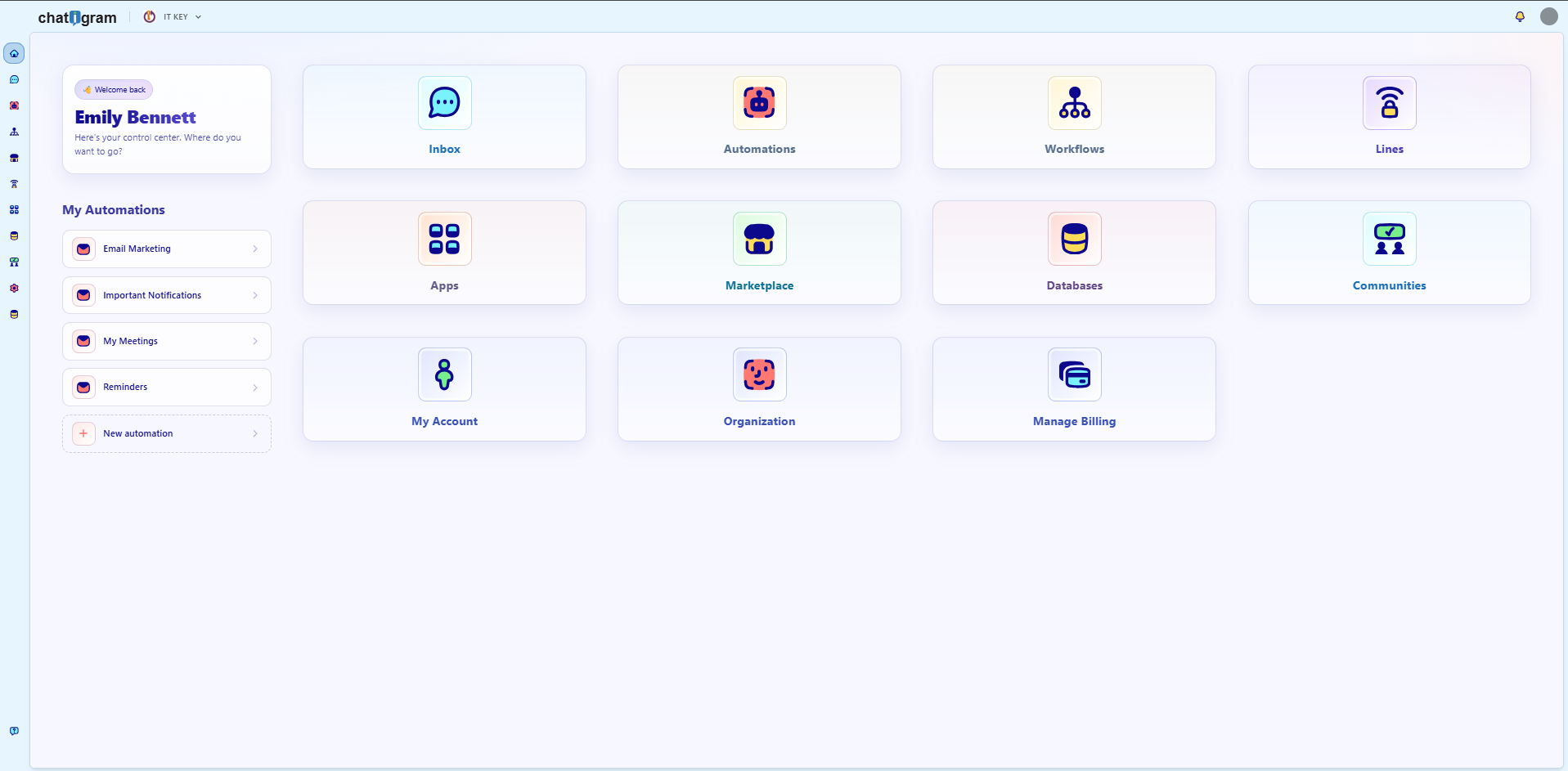 Explore the workspace
Navigate conversations, workflows, integrations, data, and communities from one dashboard.
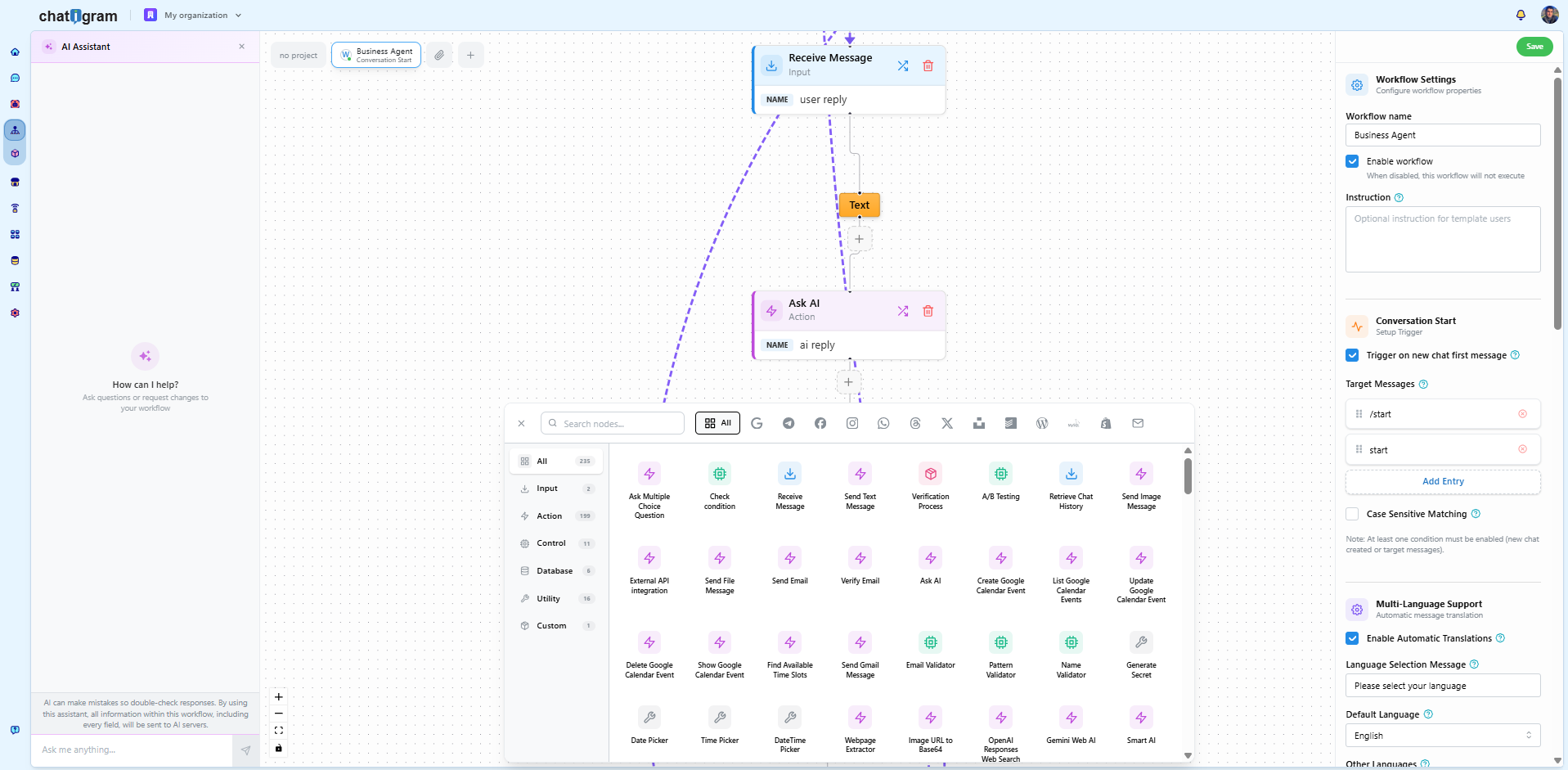 Explore visual workflows
Combine workflow nodes, configure triggers, and work with the AI Assistant inside the editor.
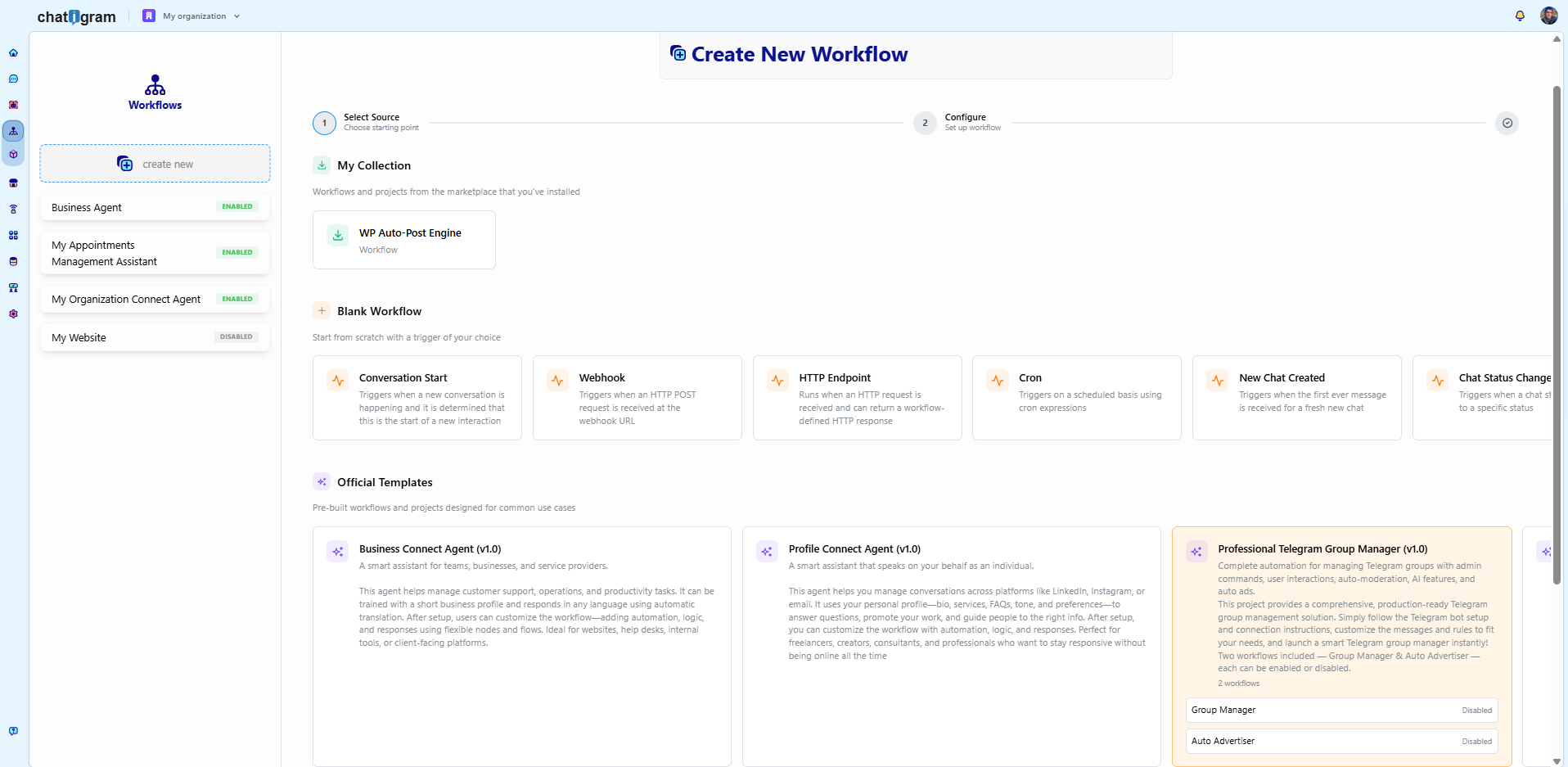 Explore workflow templates
Choose a workflow trigger or explore official templates for business agents and community management.
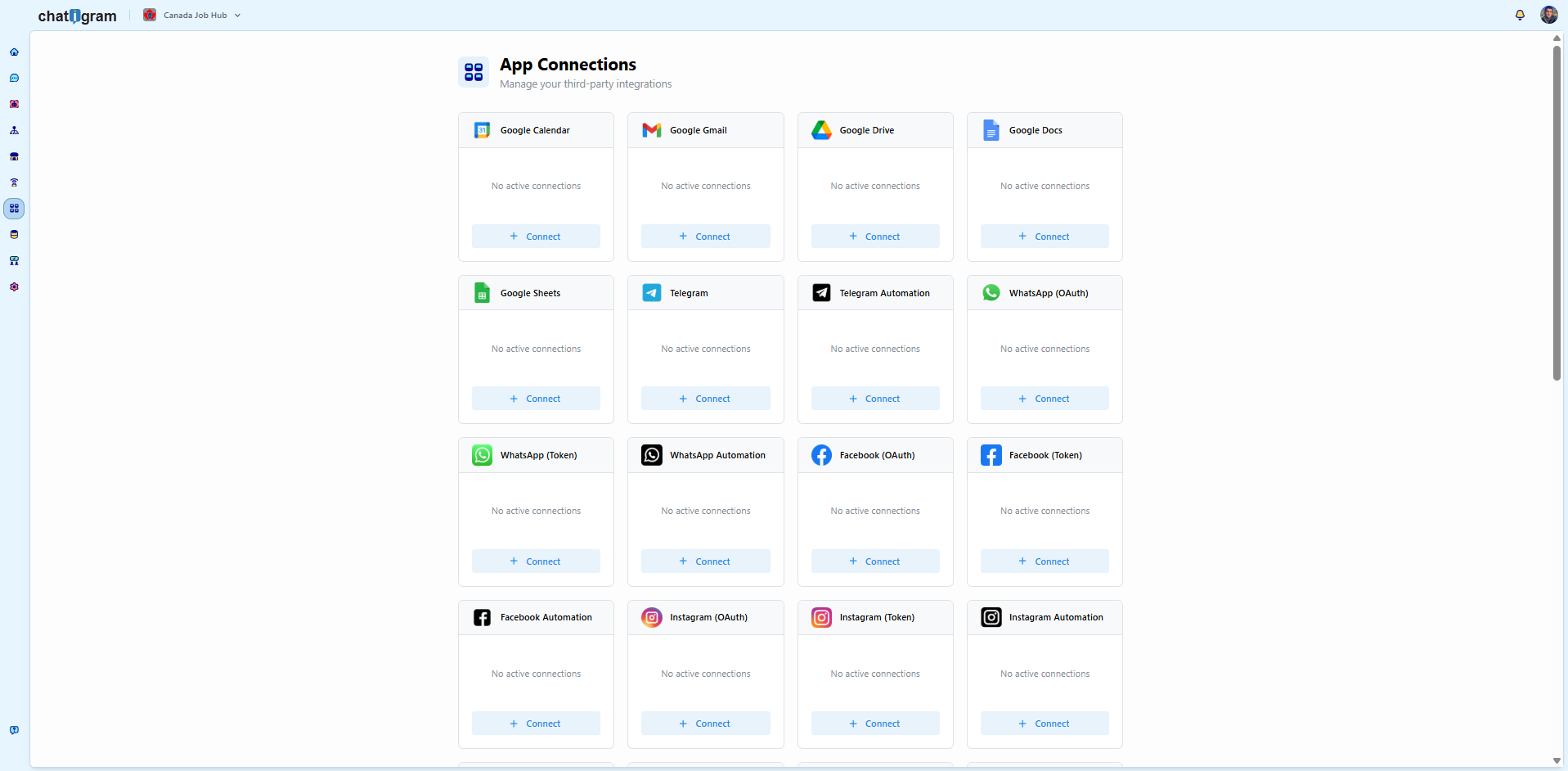 Explore app connections
Manage connections to Google Workspace, messaging channels, and social platforms.
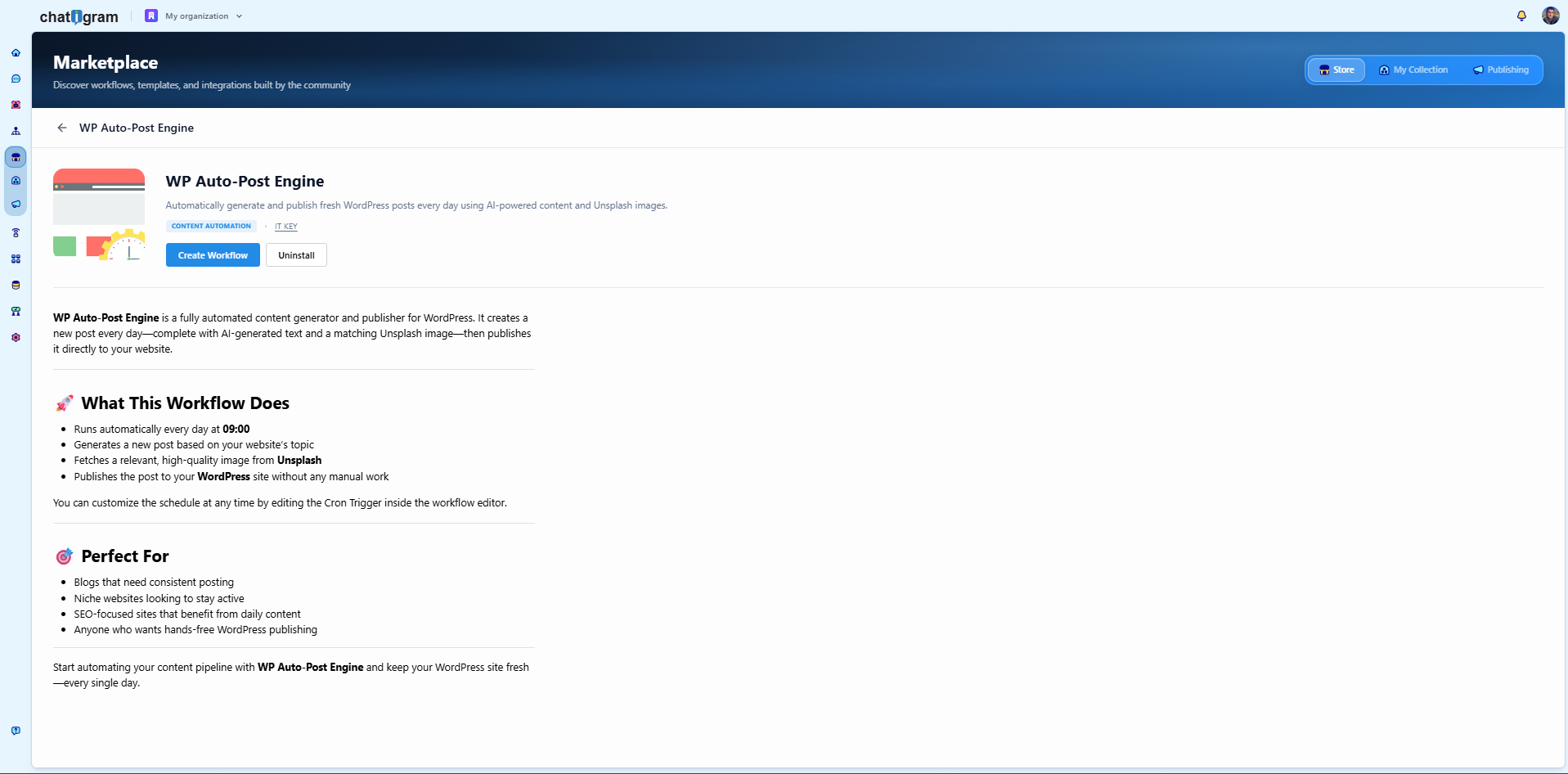 Explore the Marketplace
Discover reusable workflows such as IT KEY’s WordPress publishing automation.
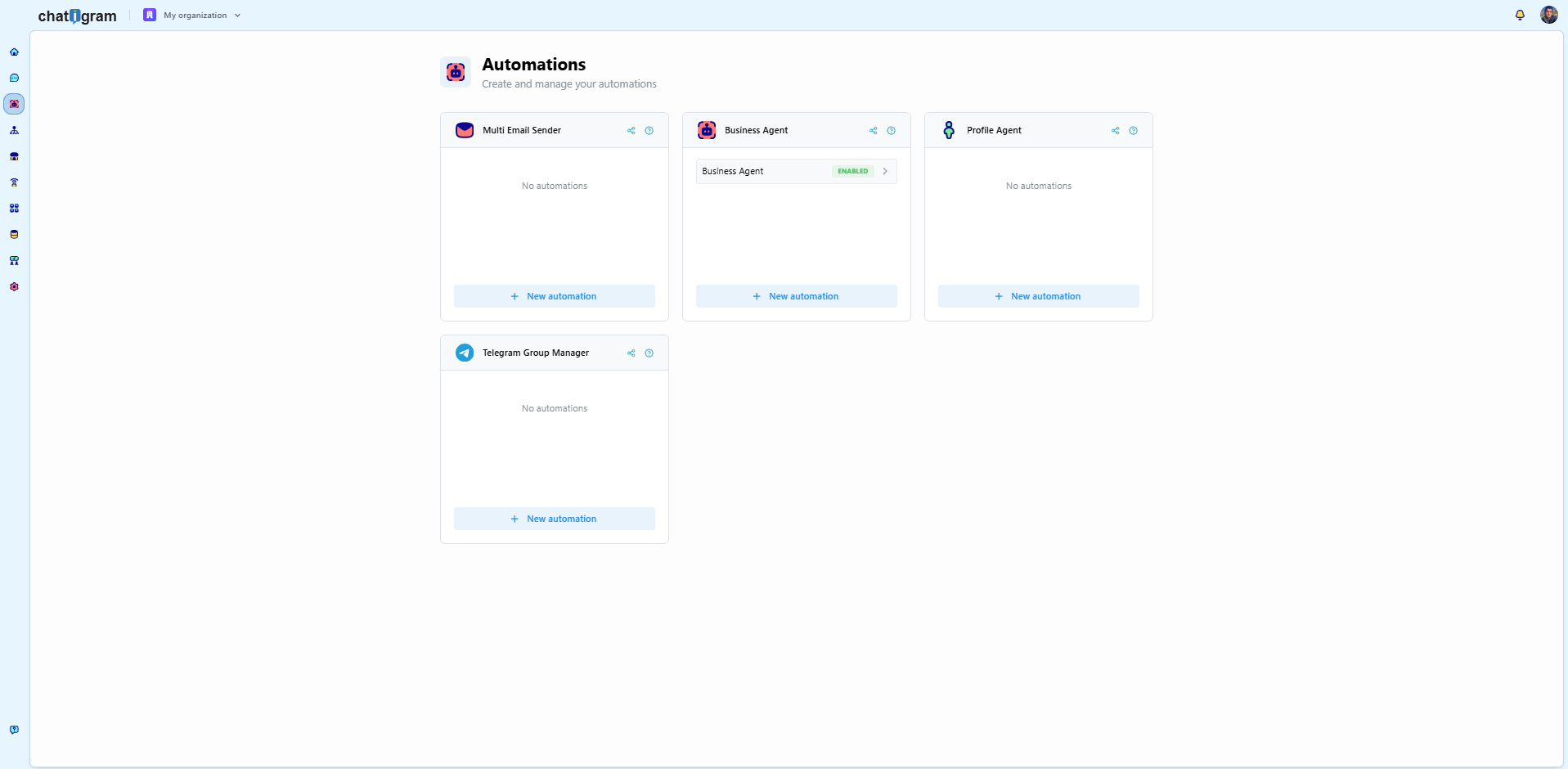 Explore automations
Organize business agents, profile agents, and Telegram group management in one place.
See it in action
Watch the product team’s AI Assistant demo or explore a community-built Smart Finder that researches and summarizes information through a conversation.
From the product team
CustomWorkflow automation
Turn repeatable processes into custom nodes and keep your workflow logic in one place.
Read the product update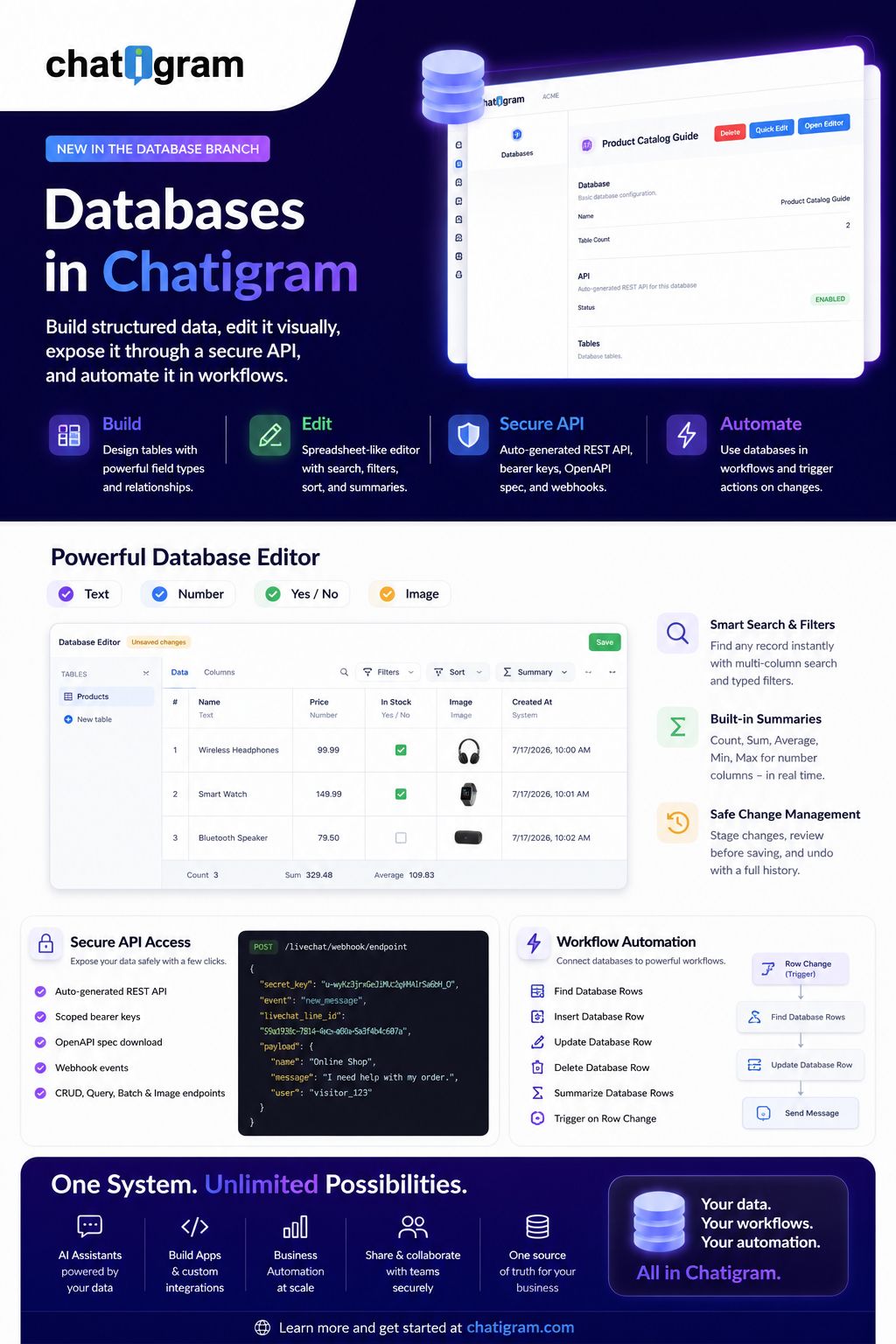
Data & integrations
Build structured databases, edit records visually, and connect them to your automations.
Explore the announcementLet’s build what’s next
Whether you’re connecting your systems or creating something new, we’d like to hear what you have in mind.